
Installing Ubuntu, Docker and Portainer via WSL on WIndows 11 (Part Two)
So in the previous post we installed WSL2, installed Ubuntu, and installed Docker. Now it’s time to get Portainer running.
Here’s our reference: [ Install Portainer CE with Docker on Linux | Portainer Documentation
So we now have two options.
- Docker Run (The easy version which is fire and forget)
- Docker Compose (Which will allow us to store the yaml in code control and keep a history and do loads of fun other things)
We’re going to do both. Easy one first.
Easy one
docker volume create portainer_data

jason@Desktop:/$ docker volume create portainer_data
portainer_data
Run the following command:
docker run -d -p 8000:8000 -p 9443:9443 --name portainer --restart=always -v /var/run/docker.sock:/var/run/docker.sock -v portainer_data:/data portainer/portainer-ce:lts

Unable to find image 'portainer/portainer-ce:lts' locally
lts: Pulling from portainer/portainer-ce
62f9236e8b75: Pull complete
f31c7ae835a2: Pull complete
bdb478fcea5e: Pull complete
1ffd82f0f9ca: Pull complete
4f4fb700ef54: Pull complete
359cf24061dd: Pull complete
8c18fb05a80b: Pull complete
078618dfa08e: Pull complete
ca2b53202e73: Download complete
64deb36925ab: Download complete
Digest: sha256:d27f76194b719bfe2a34779d51798a7adf02510cfba69ebcb538267f75aa4f47
Status: Downloaded newer image for portainer/portainer-ce:lts
aeeb0e1ae445a28f411f21f2099b375c679334d66516704559eaf6856f9362d9
Then validate it installed with:
docker ps

jason@Desktop:/$ docker ps
CONTAINER ID   IMAGE                        COMMAND        CREATED          STATUS          PORTS                                                                                                NAMES
aeeb0e1ae445   portainer/portainer-ce:lts   "/portainer"   18 seconds ago   Up 17 seconds   0.0.0.0:8000->8000/tcp, [::]:8000->8000/tcp, 0.0.0.0:9443->9443/tcp, [::]:9443->9443/tcp, 9000/tcp   portainer
Awesome. Done.
The less easy one
We have the option of downloading a pre-defined docker compose file or by manually creating one - We’re just going to create it here (For the content…).
All compose.yaml does is define a set of instructions for docker to follow when you build it, it’s very picky regarding spacing and the details are important.
(Note: I tried doing this in VIM but then I couldn’t figure out VIM.. So Nano it is…)
jason@Desktop:/$ sudo nano portainer-compose.yaml
services:
  portainer:
    container_name: portainer
    image: portainer/portainer-ce:lts
    restart: always
    volumes:
      - /var/run/docker.sock:/var/run/docker.sock
      - portainer_data:/data
    ports:
      - 9443:9443

  volumes:
    portainer_data:
      name: portainer_data

  networks:
    defaults:
      name: portainer_network
Save it. (Also feel free to use a YAML validator.. )
Run the following:
docker compose -f portainer-compose.yaml up -d
Then you see this:
jason@Desktop:~# docker ps
CONTAINER ID   IMAGE                        COMMAND        CREATED         STATUS         PORTS                                                                                                NAMES
7963585688a9   portainer/portainer-ce:lts   "/portainer"   8 seconds ago   Up 8 seconds   0.0.0.0:8000->8000/tcp, [::]:8000->8000/tcp, 0.0.0.0:9443->9443/tcp, [::]:9443->9443/tcp, 9000/tcp   portainer
So, why do this? Simple: Github, Azure DevOps, Version Control, CI/CD pipelines. The lot.
The interface (Both lead here..)
Now lets log in. Open a browser and go to the following url: https://localhost:9443/
(Note: The port can be changed to whatever you wish that’s not in use, look at the 2nd -p switch in the docker run command.)
UPDATE
You may get asked for a setup key when you go to the interface the first time for setup
sudo docker logs portainer

Jason@Desktop$: sudo docker logs portainer
2026/06/25 01:15PM INF github.com/portainer/portainer/api/cmd/portainer/main.go:358 > encryption key file not present | filename=/run/secrets/portainer
2026/06/25 01:15PM INF github.com/portainer/portainer/api/cmd/portainer/main.go:398 > proceeding without encryption key |
2026/06/25 01:15PM INF github.com/portainer/portainer/api/database/boltdb/db.go:137 > loading PortainerDB | filename=portainer.db
2026/06/25 01:15PM INF github.com/portainer/portainer/api/internal/ssl/ssl.go:79 > no cert files found, generating self signed SSL certificates |
2026/06/25 01:15PM INF github.com/portainer/portainer/api/cmd/portainer/main.go:256 > no administrator account configured; admin initialization and backup restore require this setup token in the X-Setup-Token header. Start with --no-setup-token to disable. | setup_token=12345abvd
2026/06/25 01:15PM INF github.com/portainer/portainer/api/chisel/service.go:226 > generated a new Chisel private key file | private-key=/data/chisel/private-key.pem
2026/06/25 13:15:07 server: Reverse tunnelling enabled
2026/06/25 13:15:07 server: Fingerprint [redacted]=
2026/06/25 13:15:07 server: Listening on http://0.0.0.0:8000
2026/06/25 01:15PM INF github.com/portainer/portainer/api/cmd/portainer/main.go:678 > starting Portainer | build_number=28 go_version=go1.25.11 image_tag=2.39.4-linux-amd64 nodejs_version=v22.22.3 pnpm_version=10.27.0 version=2.39.4 webpack_version=5.105.0
2026/06/25 01:15PM INF github.com/portainer/portainer/api/http/server.go:371 > starting HTTPS server | bind_address=:9443
2026/06/25 01:15PM INF github.com/portainer/portainer/api/http/server.go:355 > starting HTTP server | bind_address=:9000
You need to copy the key from the setup_token:
setup_token=12345abvd
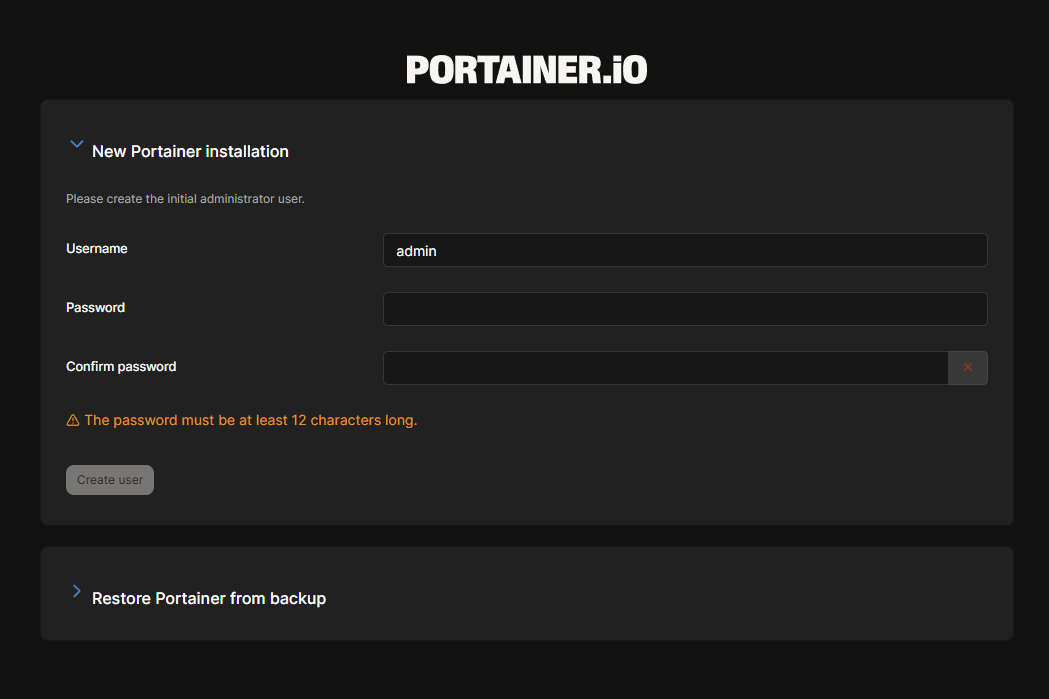
Create a 12 character password, hit create user and bob is most certainly your uncle.
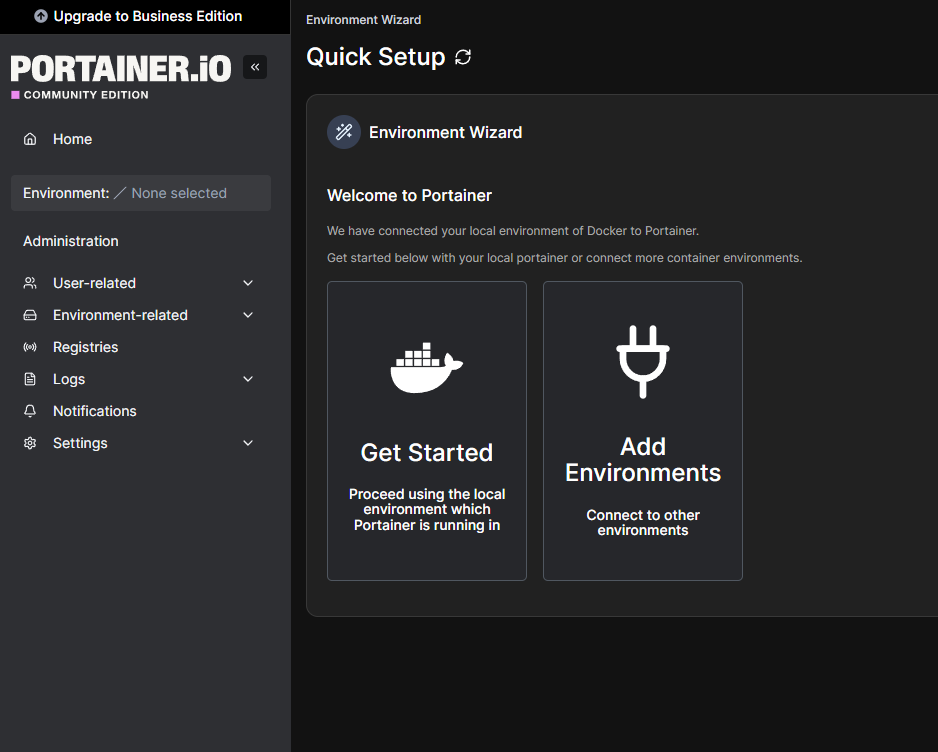
So… Now we’re installed, what does this mean? Well, we can now look at all containers running in our environment. Click the “Get Started” button and go from there:

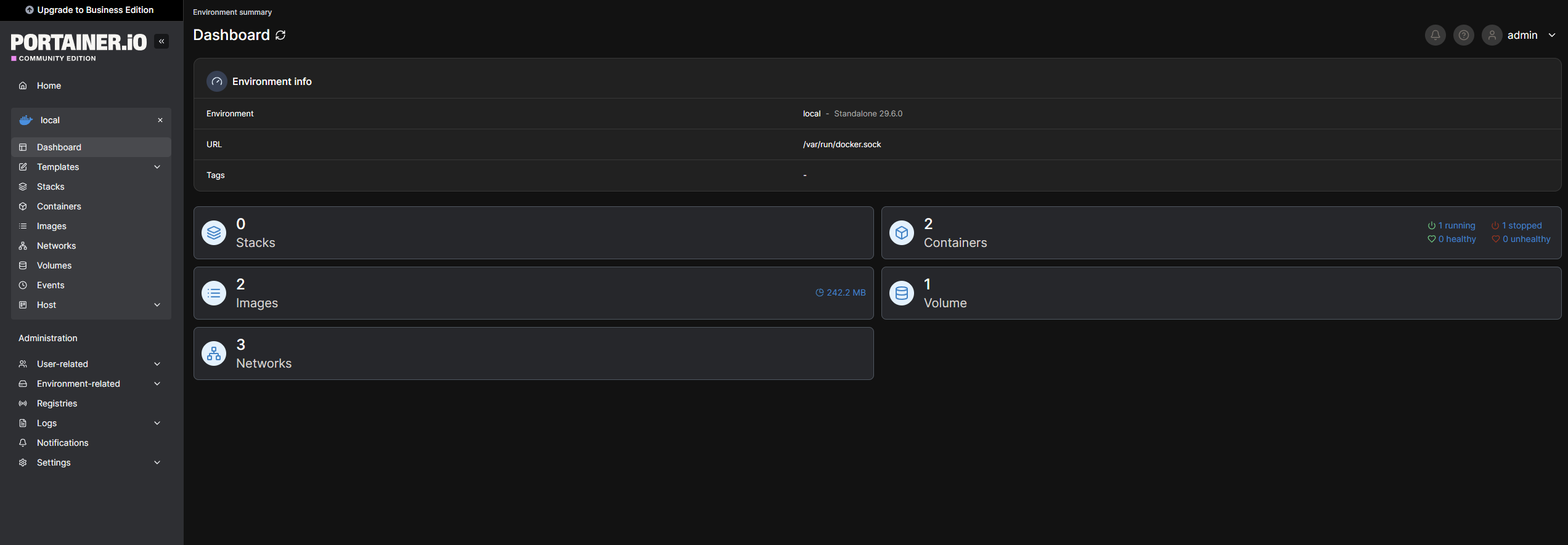
Click into your local, the first and only one!) and now you can see, manage, tweak, generally break the following:
- Stacks (Below)
- Images
- Networks
- Containers
- Volumes
A stack is a collection of services, usually related to one application or usage. For example, a WordPress stack definition may include a web server container (such as nginx) and a database container (such as MySQL).
Stacks | Portainer Documentation
So that’s that.
WSL installed. Ubuntu installed. Docker installed. Portainer installed.
What’s next? Probably a continuation of this where we install MySQL and SonarQube (Or maybe containerise an existing app.. Who knows how I’ll feel when I write the next one)